

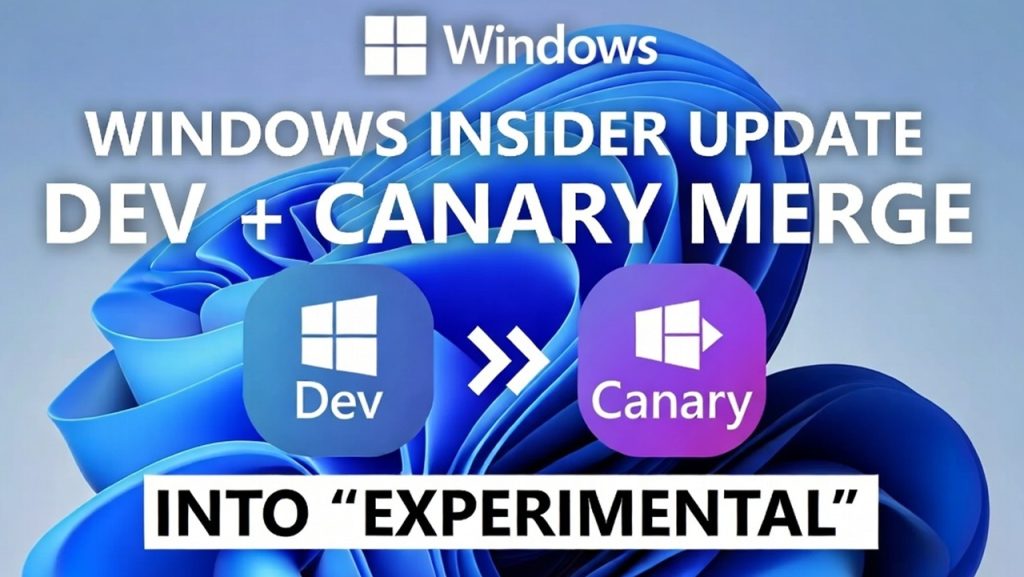
Microsoft has started restructuring the Windows Insider Program, merging the Dev and Canary channels into a single new channel called Experimental, alongside a reworked Beta channel. The change began rolling out on April 24, 2026, in phases rather than all at once, and if you’ve been testing Windows builds under the old four-channel system, this is worth understanding before your next update prompt catches you off guard.
What the old system looked like

For years, the Windows Insider Program ran four separate channels, each representing a different distance from the finished, publicly released product. Canary sat at the very front, showing the earliest, most experimental engineering work, sometimes features that wouldn’t ship for years, if ever. Dev came next, a step closer to stability but still well ahead of anything close to release. Beta followed, offering features that were genuinely close to shipping. Release Preview sat closest to the finished product, offering a small head start before a public rollout.
What’s changing, specifically
Microsoft is consolidating Canary and Dev into one channel called Experimental. This is the new earliest-access tier, covering features still under active development that may change, get delayed, or be scrapped entirely before ever reaching a stable release. Within Experimental, Microsoft has also introduced an option for advanced users to select a specific “Windows core version,” including a setting called Future Platforms, described as the earliest possible preview of Windows, not tied to any specific retail version number.
Beta is also being reworked, separate from the Canary/Dev merger. Previously, Beta channel features rolled out gradually, meaning two people running the same build number might not actually have the same features active yet, since Microsoft staged feature rollouts even within a single channel. Under the new system, once a feature is officially announced for Beta, everyone on that build gets it at the same time, removing a layer of inconsistency that had genuinely confused testers trying to compare notes or troubleshoot issues.
Release Preview is unaffected by this change and continues functioning as before: the most stable Insider option, offering finished builds shortly ahead of general public rollout.
Microsoft rolled this out in phases rather than switching every Insider over simultaneously, moving Dev Channel users first, then Canary users, then reworking Beta channel behavior afterward.
Why Microsoft made this change
Microsoft hasn’t given an extensive public rationale, but the practical reasoning is fairly legible from the change itself. The old Dev and Canary split had become a source of genuine confusion for testers trying to understand which channel actually represented “furthest from release” versus “closest to broken,” since the practical distinction between the two had blurred over time as Microsoft’s own internal engineering and testing processes evolved. Consolidating them into a single Experimental channel, with an optional deeper tier (Future Platforms) for advanced users who specifically want the bleeding edge, simplifies that decision considerably.
The Beta channel change addresses a separate but related pain point: inconsistent feature rollout within a single channel made it hard for testers to give Microsoft clean, comparable feedback, since not everyone nominally “on Beta” was actually seeing the same thing at the same time.
What this means if you’re already an Insider
If you were previously on the Dev or Canary channel, you’ve likely already been migrated to Experimental as part of Microsoft’s phased rollout, or will be shortly if you haven’t already. Nothing about your actual device requires manual action beyond acknowledging the change when Windows Update presents it. If you specifically want the deepest, most cutting-edge preview available, the Future Platforms option under Experimental’s advanced settings is now the closest equivalent to what old Canary users were chasing.
If you’re on Beta, you should notice more consistent feature availability going forward, since Microsoft’s new approach ties feature rollout to build announcements rather than staggered internal rollout logic.
What this means if you’re considering joining for the first time
This is genuinely good news for anyone weighing whether to join the Insider Program, particularly if part of your interest is catching early signs of whatever comes after Windows 11. The old four-channel system required understanding a somewhat confusing distinction between Dev and Canary before you could make an informed choice. The new three-tier structure (Experimental, Beta, Release Preview) is more intuitive: pick Experimental if you want the earliest access and don’t mind instability, Beta if you want a closer, more consistent preview with fewer surprises, or Release Preview if you want minimal risk with a small head start.
We’ve laid out the complete, current enrollment process, including this exact channel restructuring, in How to Join the Windows Insider Program for Early Access to the Next Windows Release.
Does this restructuring tell us anything about a next-generation Windows release?
It’s tempting to read organizational changes like this as a signal about a bigger release on the horizon, but there’s no direct evidence connecting this specific restructuring to any confirmed next-generation Windows plans. It reads more plausibly as Microsoft simplifying its own testing pipeline and improving tester feedback quality, independent of whatever timeline a future major release might follow. Microsoft’s own leadership has separately and directly stated that near-term announcements don’t include a new OS version, a statement made around the same general timeframe as this channel restructuring. For the fullest picture of where that timeline actually stands, see our Windows 12 release date and status tracker.
That said, the new Future Platforms option specifically, described as not tied to any retail version number, is worth watching. If Microsoft does eventually begin previewing genuinely next-generation engineering work, this is the most likely channel it would first appear in, well ahead of any public confirmation.
Practical risk considerations if you’re testing on the Experimental channel
Worth being direct about this, since it’s easy to underestimate. Experimental, as the successor to Dev and Canary, carries the same instability risks those channels always have: broken features, missing documentation, and occasionally builds that create real usability problems on a primary device. Leaving the Experimental channel to return to a stable build typically requires a full clean reinstall of Windows, there currently isn’t a clean rollback path the way there is from Beta or Release Preview.
If you’re planning to test on this channel, doing so on a secondary machine or virtual environment, rather than your primary daily-use PC, remains the sensible approach. It’s also worth backing up thoroughly before enrolling regardless of which device you use, since Insider builds are inherently less predictable than standard Windows Update. Our full backup checklist is in How to Back Up Your PC Before a Major Windows Update.
Where to track official documentation on this
Microsoft’s Windows Insider Program Documentation Hub and the Windows Insider Blog remain the authoritative sources for build-specific release notes and any further adjustments to this channel structure. Given Microsoft explicitly described this rollout as happening in phases, it’s reasonable to expect further refinements as the transition completes across the full Insider population.
Questions people are asking about this change
Do I need to do anything if I was previously on the Dev or Canary channel? Generally no. Microsoft is migrating existing testers automatically as part of its phased rollout. You may see a notification or prompt acknowledging the change, but no separate re-enrollment is required.
Is Experimental the same as the old Canary channel? Roughly, yes, in terms of representing the earliest, most unstable access tier, though Experimental also introduces the Future Platforms option for an even deeper preview, which didn’t have a direct Canary equivalent before.
Will Beta channel testing be less confusing now? That’s the intent. Previously, features rolled out gradually within Beta, meaning testers on the same build might see different features. The new system ties feature availability to build announcements, so everyone on a given build gets the same features at the same time.
Does this restructuring mean Windows 12 is coming soon? There’s no direct evidence connecting this specific change to a next-generation release timeline. It appears more focused on improving Microsoft’s internal testing and feedback process rather than signaling an imminent major launch.
Is it safe to test on the new Experimental channel on my main PC? It’s not recommended. Experimental carries the same instability risks as the old Dev/Canary channels, and leaving it typically requires a full clean reinstall to return to a stable state.