
Windows has always evolved alongside how people actually use computers. From the early days of simple command lines to today’s sleek interfaces, every version has tried to reduce effort and save time. With Windows 12, Microsoft appears to be taking a much bigger leap. The focus is no longer just on tools you control. It is about tools that understand you and act before you even ask.
This shift is powered by something called Agentic AI. It sounds technical, but the idea is simple. Instead of waiting for instructions, the system observes patterns, understands intent, and takes meaningful action on your behalf. When paired with Copilot, this becomes a proactive assistant that feels less like software and more like a smart partner.
If you have ever wished your computer could just handle repetitive tasks, remind you of important things at the right time, or even anticipate what you need next, this is exactly where Windows 12 is heading.
What Is Agentic AI and Why It Matters
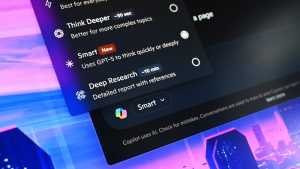
Agentic AI is a new way of designing artificial intelligence systems. Traditional AI responds to commands. You ask a question, and it gives an answer. You click a button, and it performs a task. Agentic AI goes a step further. It can plan, decide, and act with minimal input.
Think of it like the difference between a calculator and a personal assistant. A calculator waits for numbers. A personal assistant notices your schedule, prepares documents, and reminds you about meetings before you even think about them.
In Windows 12, Agentic AI is expected to work quietly in the background. It studies how you use apps, when you are most productive, what files you access often, and even how you organize your work. Over time, it builds a model of your habits. This allows it to suggest actions that feel surprisingly relevant.
For example, if you always open a set of apps every morning, Copilot could automatically prepare your workspace. If you frequently edit similar documents, it might suggest templates or even pre fill sections based on previous work.
This matters because it removes friction. Instead of spending time setting things up, you can focus on the actual work.
The Shift From Reactive to Proactive Copilot
Copilot in earlier versions of Windows already introduced helpful features like answering questions, summarizing content, and assisting with tasks. But it still depended on user input most of the time.
Windows 12 aims to change that completely. The new Copilot is designed to be proactive. It does not just wait for commands. It actively looks for opportunities to help.
Imagine working on a presentation. You open PowerPoint, gather data, and start designing slides. A proactive Copilot could notice that you are building a quarterly report and suggest charts based on your data. It might even recommend design layouts that match your past presentations.
Or consider file management. Many users struggle with cluttered folders and lost files. Instead of manually organizing everything, Copilot could automatically group related files, suggest better naming conventions, and highlight important documents when you need them.
The key difference is timing. Instead of reacting after a problem appears, Copilot tries to prevent the problem in the first place.
Everyday Scenarios Where Proactive AI Makes a Difference
The real value of Agentic AI becomes clear in everyday use. It is not about flashy features. It is about small improvements that add up over time.
Take email management as an example. Most people spend a surprising amount of time sorting through messages. A proactive Copilot could prioritize emails based on urgency, draft replies for common queries, and remind you to follow up on important conversations.
Another scenario is multitasking. Switching between apps can break your focus. With Agentic AI, Copilot could detect what you are working on and bring relevant tools to the forefront. If you are writing a report, it might open reference documents or suggest data sources without you searching for them.
Even system performance can benefit. Instead of waiting for your computer to slow down, Copilot could optimize resources in real time. It might close background apps you are not using or adjust settings to maintain smooth performance.
These changes may seem subtle at first, but over days and weeks, they can save hours of effort.
Personalization Without Complexity
One of the biggest challenges with advanced technology is complexity. More features often mean more settings, which can overwhelm users. Microsoft seems to be addressing this by making personalization automatic.
Agentic AI learns from behavior rather than requiring manual configuration. You do not need to tell it what you prefer. It figures that out on its own.
For instance, if you prefer dark mode in the evening, the system could switch automatically. If you tend to work on creative tasks at night, Copilot might adjust notifications to reduce distractions during those hours.
The goal is to make the experience feel natural. Instead of configuring your system, your system adapts to you.
Privacy and Control in an AI Driven System
Whenever AI becomes more powerful, privacy concerns naturally follow. A system that observes your behavior needs access to data, and that raises important questions.
Microsoft is likely to emphasize transparency and control in Windows 12. Users will want to know what data is being collected, how it is used, and how they can manage it.
Expect features that allow you to customize what Copilot can access. For example, you might choose to limit its visibility into certain folders or disable proactive suggestions in specific contexts.
Local processing is another key factor. By handling more AI tasks directly on the device, Windows 12 can reduce reliance on cloud services. This not only improves speed but also enhances privacy.
Ultimately, the success of Agentic AI will depend on trust. Users need to feel confident that the system is working for them, not against them.
How Developers Fit Into the Agentic AI Ecosystem
The evolution of Copilot is not just about Microsoft. Developers will play a crucial role in shaping how Agentic AI works across applications.
By integrating with Copilot, apps can become smarter and more context aware. For example, a project management tool could automatically update task statuses based on your activity. A design app could suggest assets that match your current project.
This creates a connected ecosystem where different tools work together seamlessly. Instead of isolated apps, you get a unified experience where everything feels coordinated.
For developers, this opens up new opportunities. Building features that align with Agentic AI can make apps more useful and engaging.
The Hardware Factor and AI PCs
Agentic AI requires significant processing power, especially when running locally. This is where the concept of AI PCs comes into play.
Modern devices are being designed with dedicated AI hardware, such as neural processing units. These components can handle complex AI tasks efficiently without draining battery life.
Windows 12 is expected to take full advantage of this hardware. This means faster responses, smoother performance, and more advanced capabilities.
For users, this could translate into a noticeable difference. Tasks that once took seconds might feel instant. Features that were previously limited could become part of everyday use.
Challenges and Real World Limitations
While the vision of proactive AI is exciting, it is not without challenges. Predicting user intent is complex, and mistakes can happen.
For example, suggestions might not always be relevant. Automatic actions could sometimes interrupt your workflow instead of helping. Finding the right balance between assistance and control will be critical.
There is also the learning curve. Even if the system is designed to be intuitive, users may need time to trust and understand it.
Performance is another factor. Running advanced AI features continuously requires resources. Ensuring that this does not impact battery life or system speed will be essential.
These challenges do not mean the concept will fail. They simply highlight the importance of careful design and ongoing improvement.
What This Means for the Future of Windows
The introduction of Agentic AI in Windows 12 Download represents a shift in how we think about operating systems. It is no longer just a platform for running applications. It becomes an active participant in your workflow.
This could change expectations across the industry. Users may start to demand more intelligent systems that understand their needs and reduce manual effort.
It also sets the stage for future innovations. As AI models become more advanced, the possibilities expand. We could see deeper integration with devices, smarter automation, and even more personalized experiences.
For businesses, this opens up new ways to improve productivity. For individuals, it means less time spent on routine tasks and more time for meaningful work.
A More Human Way to Use Technology
At its core, the idea behind Agentic AI is to make technology feel less mechanical and more human. Instead of rigid commands and fixed workflows, you get a system that adapts, learns, and evolves with you.
There is something appealing about a computer that understands context. It feels closer to how people naturally think and work. You do not have to explain every detail. The system picks up on patterns and fills in the gaps.
Of course, it is not perfect. No AI can fully replace human judgment or creativity. But it can support those qualities by handling repetitive tasks and providing helpful insights.
In a way, Windows 12 is not just an upgrade. It is a reimagining of what an operating system can be.
Final Thoughts
The evolution of Agentic AI and the rise of a proactive Copilot mark a significant moment for Windows. It signals a move toward systems that are not just tools but collaborators.
For users, this could mean a smoother, more intuitive experience. For developers, it opens new possibilities for innovation. And for the tech industry as a whole, it sets a new direction.
The real test will come with everyday use. If Copilot can consistently provide helpful, relevant assistance without being intrusive, it could redefine how people interact with their computers.
Windows 12 may not just be remembered for its features, but for changing the relationship between humans and technology.

