Search for “Windows 12 ISO download” today and you’ll find dozens of pages happy to hand you a file. None of them are legitimate, because Windows 12 hasn’t been released, has no confirmed date, and has no official installation media in any form. What you’re actually looking at is a specific, recognizable scam pattern, and once you know what to check for, spotting it takes about ten seconds.
Microsoft’s own community forums have addressed this directly, warning that people advertising a Windows 12 ISO as currently available are typically after your personal information, your payment details, or access to your system, not offering real software. This page breaks down exactly how these sites work, the red flags that give them away, and what to do if you’ve already downloaded something.
Why this particular scam works so well
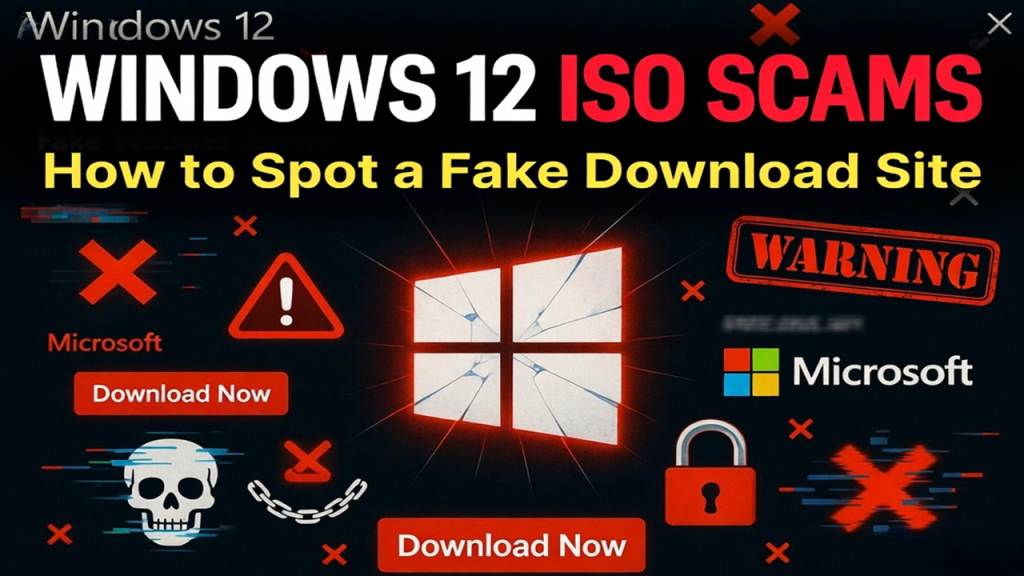
A few things make “Windows 12 ISO” an unusually effective bait compared to most software scams:
Genuine confusion about whether it’s real. Unlike a scam pretending to be, say, a fake antivirus update, there’s real public uncertainty here. People have genuinely heard “Windows 12” mentioned in tech news, so a page claiming it exists doesn’t sound as obviously fake as it would for a product nobody’s ever heard of.
High search volume, low competition from legitimate sources. Because there’s no real Microsoft page to compete against (Microsoft obviously can’t publish a download page for software that doesn’t exist), scam sites face none of the usual difficulty of trying to outrank an official source. They’re the only “results” on the topic.
Urgency and exclusivity framing. A lot of these pages present the file as early access, a leak, or a limited window, which pushes people to act fast rather than pause and verify.
The specific red flags that give these sites away
An invented release date. Microsoft has not confirmed a Windows 12 release date. In fact, Pavan Davuluri, who leads Windows and Surface at Microsoft, directly stated in May 2026 that upcoming company announcements would not include a new OS version at all. Any page stating a specific release date as settled fact is starting from a false premise.
Suspiciously precise file details. Watch for pages naming an exact file (something like “Windows_12_x64.iso”) with a specific size, often somewhere around 5GB. That level of manufactured specificity exists purely to make the file feel real, since actual leaked builds rarely come with such clean, tidy details attached.
A download hosted off Microsoft’s domain. Legitimate Windows software comes from microsoft.com, full stop. If a “download” button routes you through a redirect, a third-party file locker, or a domain that merely resembles Microsoft’s branding, that alone is disqualifying.
Instructions to disable security features. Some of these pages pair the download with steps to bypass TPM 2.0 or Secure Boot checks, framed as a “workaround.” For software that doesn’t officially exist, there’s nothing to work around, and this step is often where actual malicious payloads get delivered.
A first-person “I installed it” narrative. A surprising number of these pages include a detailed, confident account of installing and using the product, down to describing a progress bar or a specific setup screen. Since no such build has been publicly released, this is fabricated storytelling designed to build false confidence, not a genuine account.
Countdown timers or “limited slots” messaging. Artificial urgency is a classic pressure tactic. A real Microsoft release wouldn’t need a fake countdown to get people downloading it.
Recycled claims across multiple sites. A lot of these pages copy the same fabricated details from each other almost word for word. Seeing the same claim on five different sites doesn’t make it more credible, it just means five sites copied the same fabrication.
Pop-ups, fake system alerts, or forced browser notifications. If landing on the page triggers a fake “your PC is infected” warning, a request to allow browser notifications, or an auto-downloading file you didn’t click, close the tab immediately. These are separate, additional scam layers stacked on top of the fake ISO bait.
What actually happens if you click through
The outcomes vary depending on the specific site, but they generally fall into a few categories:
Malware bundled with a real-looking installer. Some sites deliver an actual executable file disguised as a Windows setup file, which installs unwanted software, adware, or worse in the background while showing you a fake progress screen.
Credential or payment harvesting. Others route you through a fake “verification” step asking for an email address, phone number, or even payment card details to “unlock” the download, which goes straight to whoever’s running the scam rather than unlocking anything.
Ad fraud and redirect chains. Some are simpler and just exist to generate ad revenue, bouncing you through multiple redirect pages loaded with aggressive ads before eventually dead-ending or looping back to the start.
Browser hijacking. Accepting a notification permission prompt on these pages can lead to a flood of fake system alerts and ads appearing even after you’ve left the site, since you’ve granted the page ongoing permission to push notifications to your browser.
What to do if you already downloaded something
If you’ve run a file from one of these sites, don’t panic, but do act quickly:
Disconnect from the internet. Unplug your ethernet cable or turn off Wi-Fi to cut off any connection the malicious file might be trying to make to a remote server.
Run a full scan with reputable antivirus software. Use whatever security software you have installed, or Windows’ built-in Microsoft Defender, and run a full system scan rather than a quick scan.
Check for unfamiliar programs or browser extensions. Go through your installed programs list and browser extensions for anything you don’t recognize, and remove it.
Change your passwords from a different, clean device. If you entered any credentials on the scam site itself, or suspect the malware may have captured keystrokes, change your important passwords (email, banking, Microsoft account) from a separate device you trust.
Consider a clean reinstall if you’re not confident. If the file actually ran and you’re unsure what it did, the most reliable fix is often a clean reinstall of Windows 11 from a verified ISO downloaded directly from Microsoft, rather than trying to manually track down and remove every trace of whatever was installed. We’ve laid out the full, verified process in How to Download the Official Windows 11 ISO from Microsoft, including how to check the file’s SHA256 hash so you know you’re starting from something clean.
How to verify any Windows software claim going forward
A quick framework that applies well beyond just this specific scam:
Check the domain directly. Microsoft’s own software always comes from microsoft.com. If you’re not certain a link actually goes there, hover over it or check the address bar after clicking, rather than trusting the link text alone.
Look for a verifiable build number. Genuine Windows Insider builds come with specific, documented build numbers listed on Microsoft’s own Windows Insider Blog. Vague claims without a checkable build number are a weaker signal.
Cross-reference with established tech outlets. If something as significant as a new Windows version were genuinely available, outlets like Windows Central, The Verge, or Neowin would be covering it, not just a single obscure download site.
Be skeptical of urgency. Legitimate software releases don’t rely on countdown timers or “limited availability” pressure to get installed.
For a broader breakdown of how to evaluate any Windows 12 claim, including screenshots and rumored leaks beyond just the ISO angle, see Is Windows 12 Real? Fact-Checking the Rumors. And if your actual goal was simply to try something new safely, joining the Windows Insider Program is the legitimate route to early access, whenever a real next-generation build actually exists.
Why this matters beyond just Windows 12
This exact pattern (fake ISO, invented urgency, security-bypass instructions) tends to resurface with every major unreleased or rumored software product, not just Windows 12. The specific bait changes, but the mechanics are consistent enough that learning to recognize it here protects you in plenty of other situations too, whether that’s a rumored game leak, an unreleased app, or a fake system update notification.
Common questions
Is every site offering a Windows 12 ISO a scam? Effectively, yes. Since there’s no official release, there’s no legitimate source for this file anywhere, regardless of how professional a particular site looks.
I already entered my email on one of these sites. Should I be worried? It’s worth treating that email as compromised for spam and phishing purposes going forward, and being extra cautious of any follow-up emails claiming to be from Microsoft that arrive afterward, since scammers often follow up directly.
Can antivirus software have caught this before I clicked? Reputable antivirus and browser security tools do flag a lot of these sites, but new domains pop up constantly, so don’t rely on that alone. The red flags in this article are a more reliable first line of defense than waiting for a warning to appear.
What’s the safest thing to actually download right now? The official Windows 11 ISO, direct from Microsoft, if you want something real to install today. We’ve walked through the exact steps in our Windows 11 ISO download guide.