If you want a genuine preview of what AI in a future Windows release will look like, you don’t need to wait for an announcement. Microsoft has already shipped its AI hardware and software strategy, it’s called Copilot+ PC, and it’s available right now in current Windows 11 devices. Whatever Microsoft eventually calls its next major release, it’s overwhelmingly likely to build directly on this foundation rather than reinvent it from scratch.
Here’s what’s actually confirmed today, what a next-generation release would plausibly extend, and where the genuine uncertainty still is.
What a Copilot+ PC actually requires
Microsoft defines a Copilot+ PC by specific hardware thresholds, not just marketing language. A qualifying system needs an NPU (neural processing unit) capable of at least 40 trillion operations per second, commonly written as 40 TOPS, along with a minimum of 16GB of RAM and a 256GB SSD, running Windows 11 version 24H2 or newer. Qualifying processors currently include Qualcomm’s Snapdragon X series, Intel’s Core Ultra 200V series (and newer Panther Lake chips), and AMD’s Ryzen AI 300 series.
The NPU is the part that actually matters here. Unlike a CPU or GPU, it’s purpose-built for the kind of matrix math that AI models rely on, which means it can run continuously in the background without draining your battery the way a general-purpose chip would under the same workload. That’s the entire point of the hardware requirement: it’s not a check-box designation, it’s what makes on-device AI actually practical rather than something that only works well in the cloud.
The features this hardware actually unlocks
These are shipping today, not speculative:
Recall. A searchable, local history of your on-device activity. Instead of remembering an exact filename, you can describe what you saw (“that chart Sarah shared last Tuesday”) and Recall finds it based on encrypted, locally stored snapshots. Microsoft has tied this specifically to hardware-level security, with snapshots protected by Windows Hello authentication and never sent to the cloud for training.
Live Captions with real-time translation. Audio from over 40 languages gets translated into English captions live, across any app, and it works entirely offline since the processing happens on the NPU rather than requiring an internet connection.
Cocreator and AI image generation. Text or rough sketch prompts get turned into generated visuals directly inside apps like Paint, running locally rather than round-tripping to a cloud model.
Windows Studio Effects. Video call enhancements, including automatic framing, background blur, gaze correction, and voice clarity, all processed on-device through the NPU rather than through your webcam software alone.
Click-to-Do. Context-aware assistance that understands whatever’s currently on your screen, letting you summarize text, search an image, or draft a response without switching apps manually.
All of these are gated specifically behind Copilot+ certified hardware. A standard Windows 11 PC without the required NPU can still access cloud-based Copilot for general assistance, but it won’t run these specific on-device experiences.
Why this matters for anything called “Windows 12”
If a next-generation Windows release does arrive, the reasonable expectation, based on where Microsoft has actually been investing rather than pure guesswork, is that it extends this same NPU-driven approach rather than introducing an entirely separate AI framework. Microsoft has publicly framed its direction as making AI “at every layer” of the OS, and the Copilot+ tier is the concrete, already-shipping expression of that ambition. A future release pushing NPU requirements higher, or expanding which tasks run on-device versus in the cloud, would be a continuation of a strategy already in motion, not a surprise pivot.
Some coverage has speculated about even higher hardware thresholds for a next-generation release, though specific figures should be treated with caution since none are confirmed by Microsoft or major chipmakers. What is reasonably well grounded is the direction: more on-device processing, deeper integration of Copilot as a persistent, context-aware layer rather than an app you open, and continued expansion of the NPU-qualified hardware ecosystem beyond the current three silicon families.
The messaging tension worth knowing about
Here’s something most feature roundups skip. Microsoft has simultaneously promoted two seemingly conflicting messages: that recent updates make “every Windows 11 PC an AI PC,” while also gating its most advanced features (Recall, Live Captions translation, Cocreator) specifically behind the higher-tier Copilot+ hardware requirement. In practice, this means baseline cloud-based Copilot is available broadly across Windows 11, but the genuinely differentiated, privacy-preserving, offline-capable AI experiences require the specific NPU hardware tier. If you’re evaluating whether you need to upgrade specifically for AI features, this distinction is the one that actually matters, not the general “AI PC” marketing language.
Is a Copilot+ PC worth it right now, separate from Windows 12 speculation?
Setting the rumor mill aside, the practical value depends heavily on your actual use case. People who spend significant time on video calls get real benefit from Studio Effects. Multilingual users or teams get genuine utility from live translated captions. Privacy-conscious users benefit from having AI processing stay local rather than round-tripping to a cloud model. If your day-to-day work is mostly web browsing and office documents, a standard Windows 11 PC handles that identically for less money, and cloud-based Copilot already covers most casual AI requests without needing the specialized hardware at all.
What we still genuinely don’t know
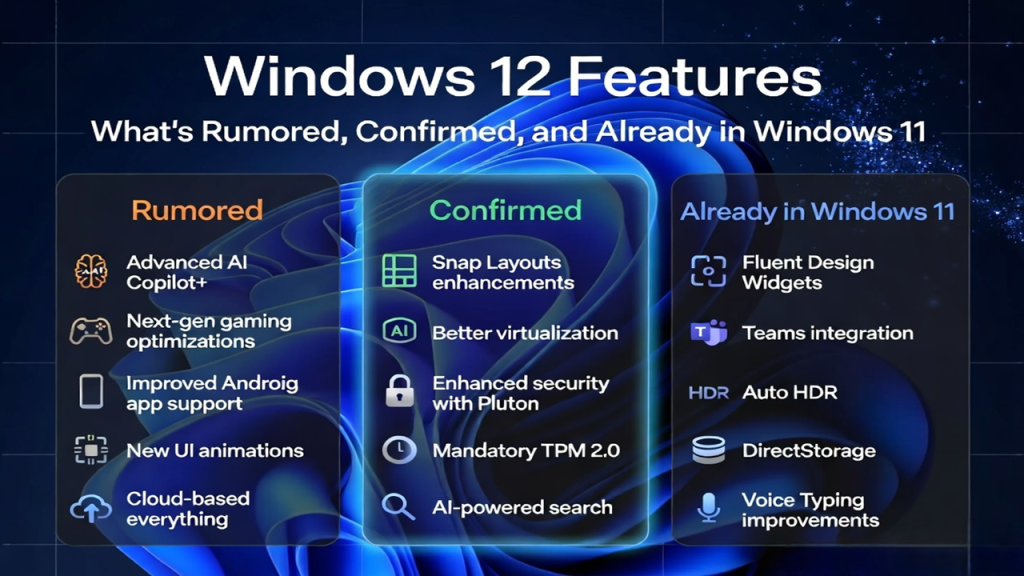
To be direct about the limits of what’s confirmed here: we don’t know if a next-generation Windows release will raise the 40 TOPS baseline, whether Recall-style features will expand to new categories of data, or how deeply an “agentic” Copilot (one that takes actions on your behalf rather than just answering questions) will actually reach before Microsoft is ready to confirm any of it publicly. Reporting on these points exists, but treating it as settled fact rather than informed direction would be overstating what’s actually known. For a broader breakdown of which Windows 12 claims are credible speculation versus outright debunked, see our Windows 12 features overview, which sorts the wider rumor landscape into confirmed, credible, and debunked categories.
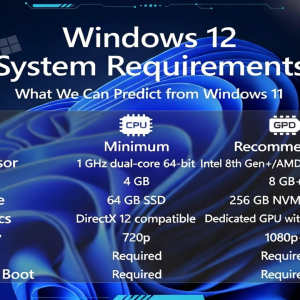
If you’re specifically trying to figure out what hardware to buy given the uncertainty, our Windows 12 system requirements breakdown walks through what’s reasonable to plan around versus pure guesswork. And for the current, continuously updated status of whether any next-generation release is actually getting closer, check our Windows 12 release date and status tracker.
Things worth knowing before you buy
Do I need a Copilot+ PC to use Copilot at all? No. Basic, cloud-based Copilot is available on any Windows 11 PC. The Copilot+ hardware tier specifically unlocks on-device features like Recall, Live Captions translation, and Cocreator.
What’s the minimum NPU performance for Copilot+ certification? At least 40 TOPS (trillion operations per second), along with 16GB of RAM and a 256GB SSD, running Windows 11 24H2 or newer.
Will Windows 12 require more powerful hardware than Copilot+ PCs do today? Reasonably likely in direction, but no confirmed figures exist yet. Treat any specific number you’ve seen elsewhere as speculation until Microsoft states otherwise.
Is Recall safe to use from a privacy standpoint? Microsoft has built in hardware-level protections, including local-only encrypted storage, Windows Hello authentication, and no cloud transmission for training purposes. Whether that’s sufficient for your personal comfort level is a judgment call worth making deliberately rather than assuming either way.
Should I buy a Copilot+ PC now or wait for whatever comes next? If you’re replacing hardware anyway and the current feature set genuinely fits your workflow (frequent video calls, multilingual work, privacy-sensitive tasks), there’s real value today rather than a reason to wait indefinitely on unconfirmed future specs.